
Power BI Gateway
Introduction
MS PowerBI Gateway creates the connection between MS PowerBI cloud-based data analysis ecosystem and the INDEXIMA CLUSTER located on-premises. MS Gateway is an application that can be installed on any server in the local domain. The MS PowerBI Gateway is responsible for creating the connection and passing data through.
Prerequisites
MS Gateway (and MS PowerBI Desktop) requires:
an ODBC driver to bridge to a JDBC data source such as the INDEXIMA data hub. Refer to the section ODBC/JDBC Drivers installation.
a DSN set on the machine where the gateway is installed. Go to ODBC-Create a DSN linked to Indexima Engine.
Add an indexima Datasource in MS Gateway
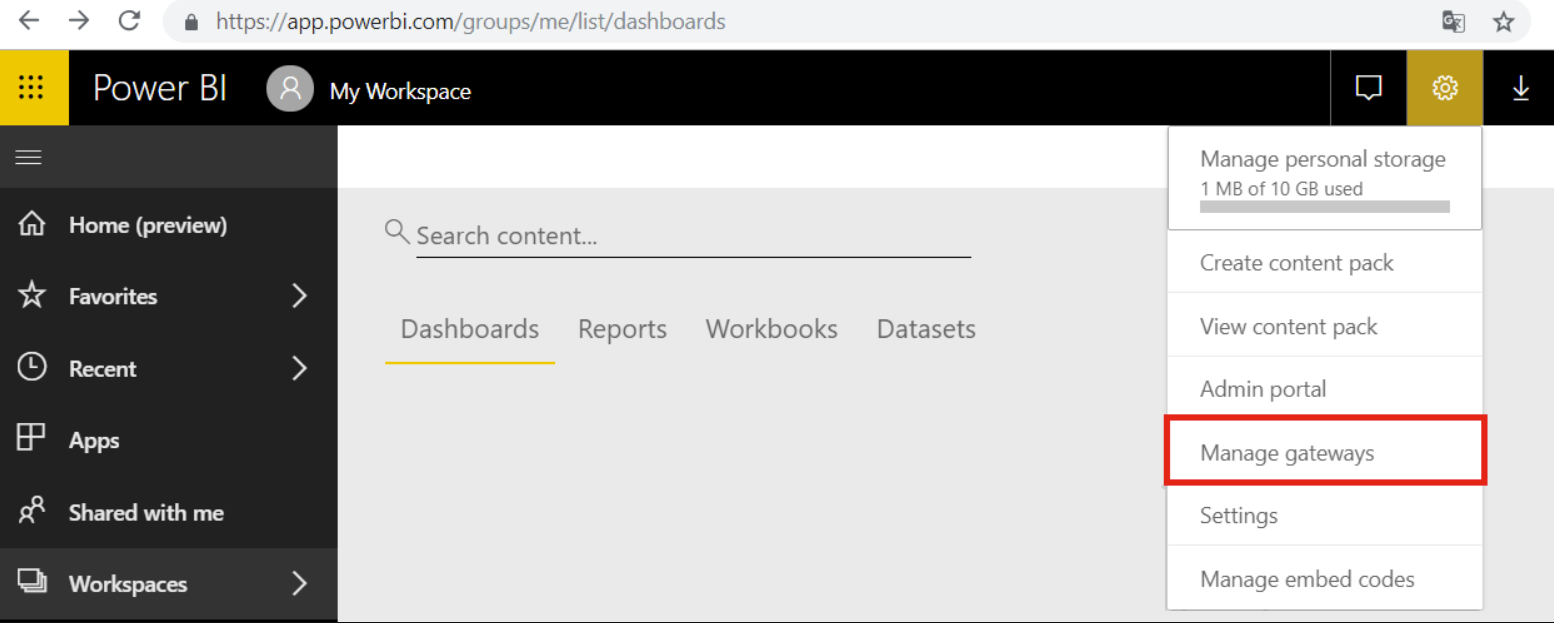
Go to the 'Manage Gateways' page (You can access this page from your MS Power BI application or directly by using the URL https://app.powerbi.com/groups/me/list/dashboard):
Then add a data source and select the indexima with data source type field:
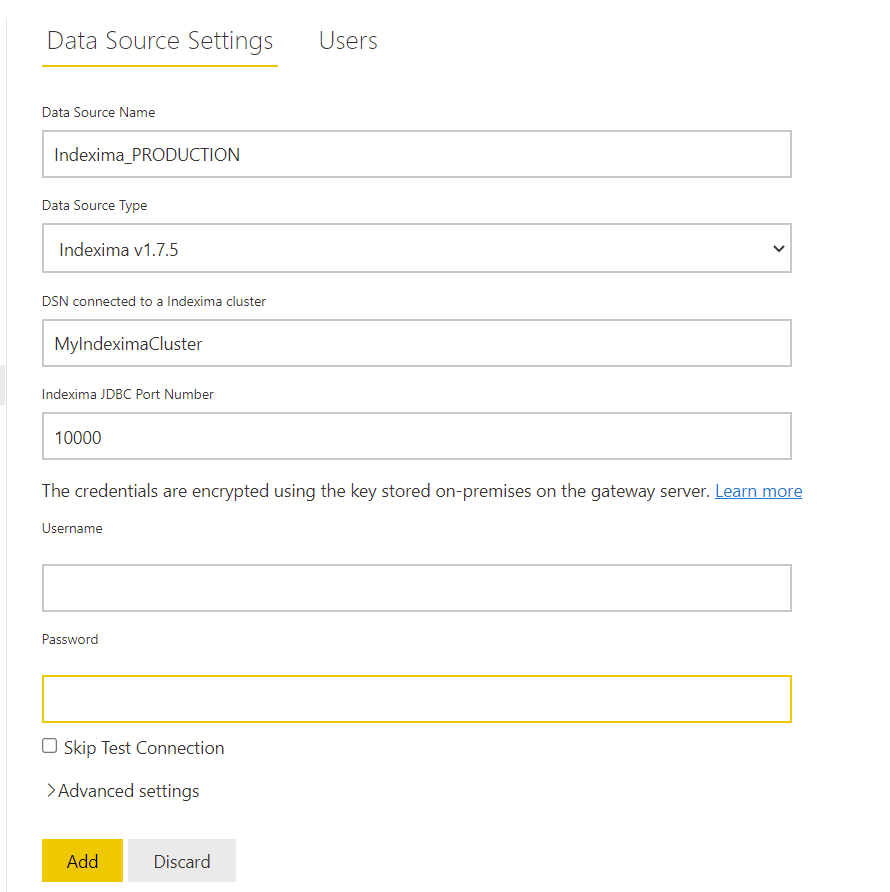
This indexima connector supports DSN connections to data sources.
DSN
DataSource Type
Choose Indexima v1.7.5
Address or DSN
myDSN
Port
Fill in the same value used for the Desktop DSN
Credential
Username and password
More Details
Consult the Microsoft documentation for more details on MS PowerBI.