
Clusters Hub
Overview
Once the user is authenticated to Indexima, he gets access to a hub of indexima Clusters.
A VisualDoop Administrator would be able to attach a cluster into this hub.
A simple user (i.e., not an admin) would only see the list and use the already created connections to actually connect to the cluster.
Part 1: Administrate Clusters attachments
INFO
User must be VisualDoop Admin user to perform the following actions.
Attach a cluster
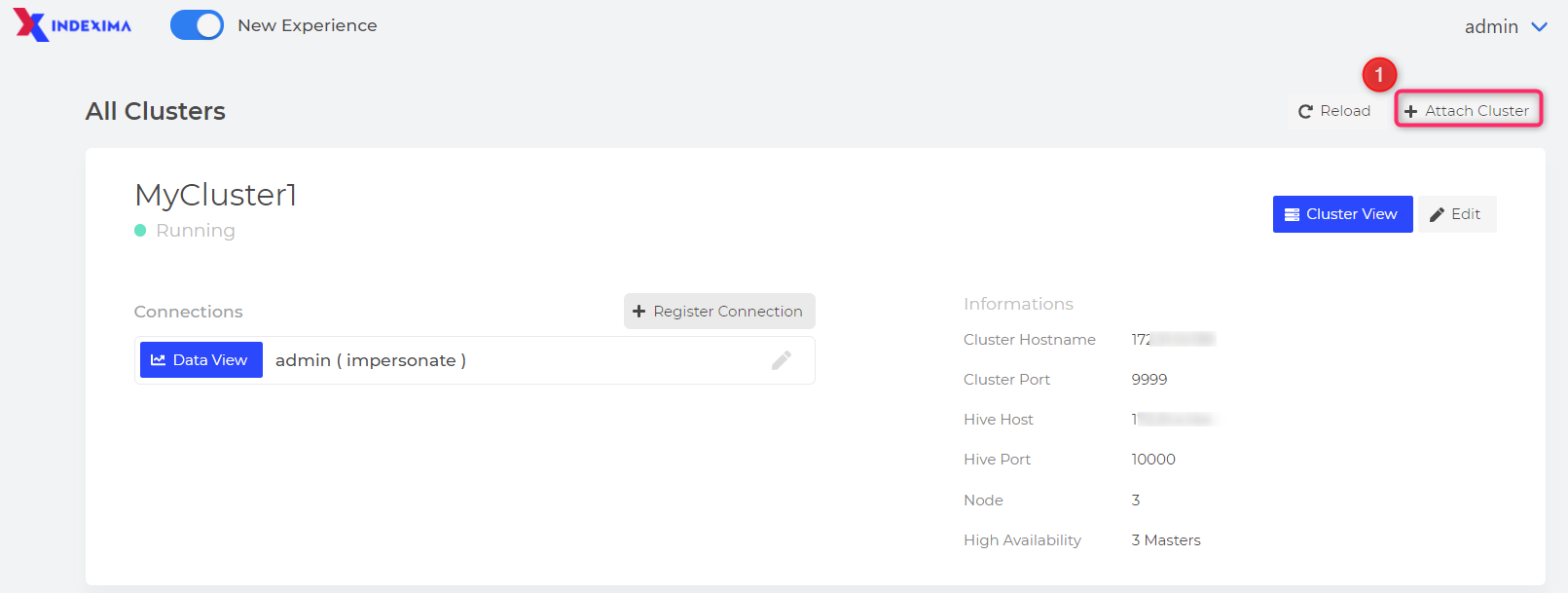
Click on the "Attach Cluster" button,
then fill up all the information mandatory to connect to an existing Indexima cluster.
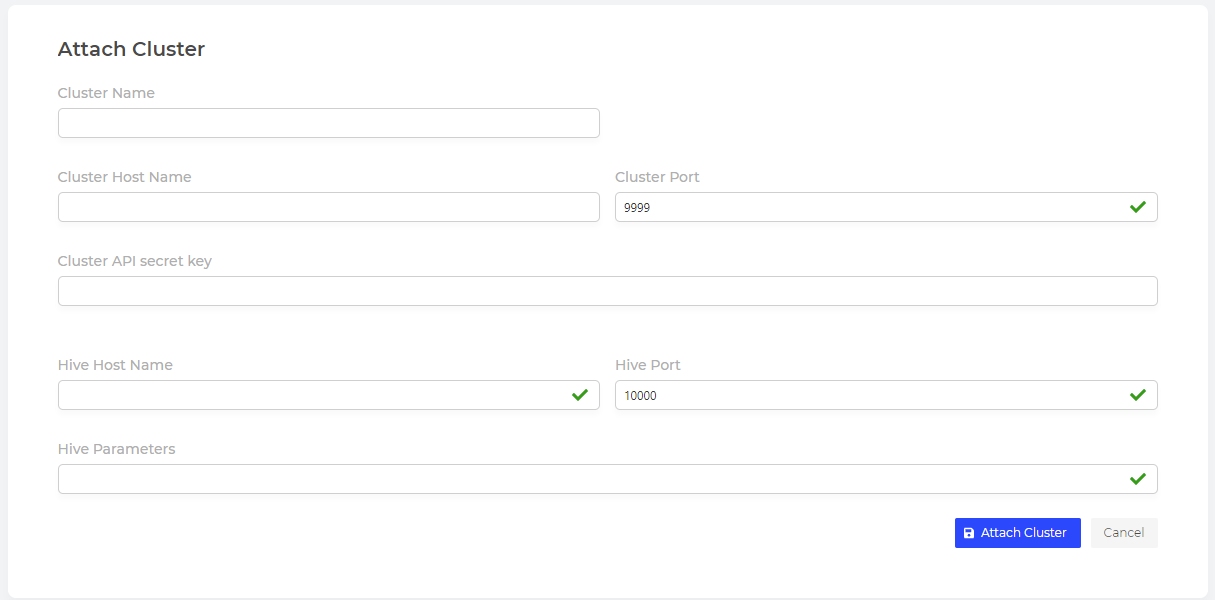
How to fill the connection attachment string?
| Parameter | Definition | Valid value | Mandatory | ||||||||||||||||
|---|---|---|---|---|---|---|---|---|---|---|---|---|---|---|---|---|---|---|---|
| Name of the cluster (e.g, to distinguish several contexts or environments). | Any string that only contains letters & digits. (Nb: the Space character is not allowed) | Yes | |||||||||||||||||
| The hostname of the load balancer or of the master node for the console to connect to the cluster. | A valid internet hostname. | Yes | |||||||||||||||||
The port of the load balancer or of the master node for the console to connect to the cluster. | An integer port number. Default value: 9999 corresponds to the default value of Note: the console will interact with the core engine on the following resulting URL: http(s)://<cluster_hostname>:<cluster_port>
| Yes | |||||||||||||||||
| The secret key for the console to interact with the cluster. | Any string that only contains letters & digits Default Value: EvdbpGMCWPzpSzgkjTqq9SjM Is equal to the value defined in | Yes | |||||||||||||||||
| The hostname of the load balancer or of the master node for any sql client to connect to indexima. | A valid internet hostname
Examples
| Yes | |||||||||||||||||
The port of the load balancer or of the master node for any sql client to connect to indexima. | An integer port number. Default value: 10000 | Yes | |||||||||||||||||
| The optional hive parameters to add to the JDBC URL to connect to indexima (depending on hive customization). | Any valid hive parameters.
| Yes |
Example:
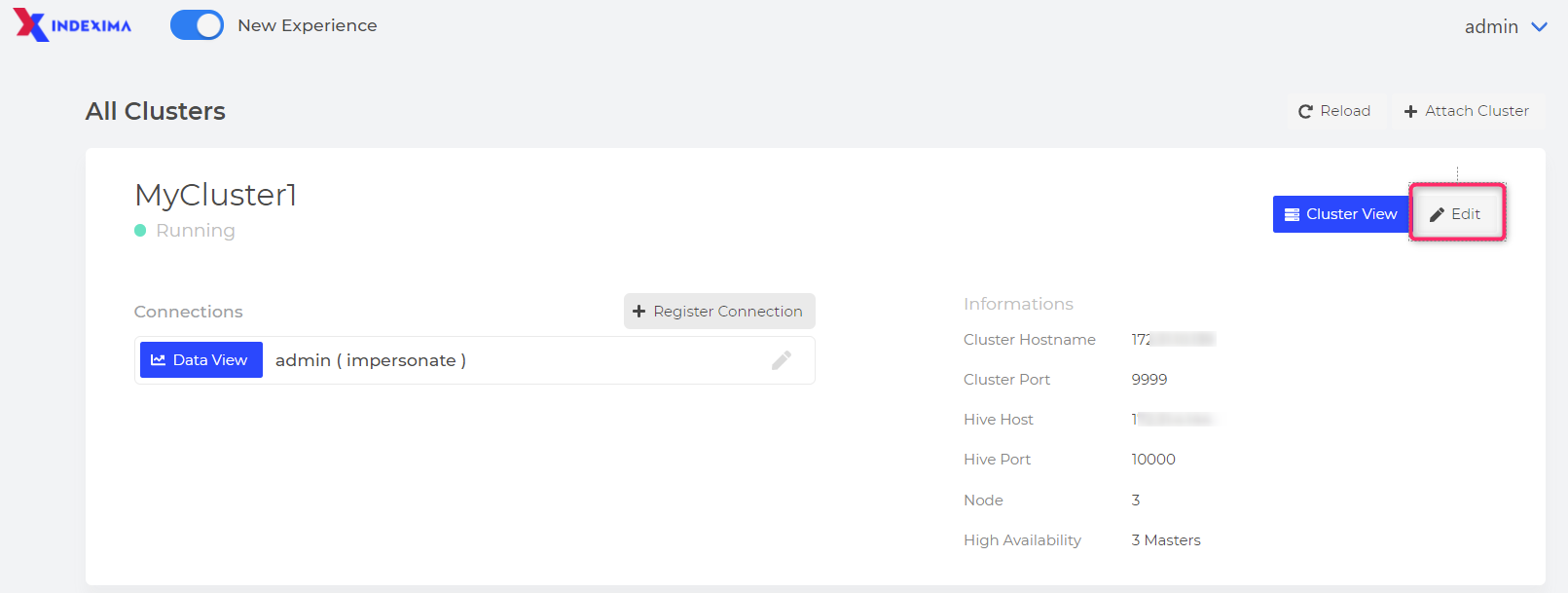
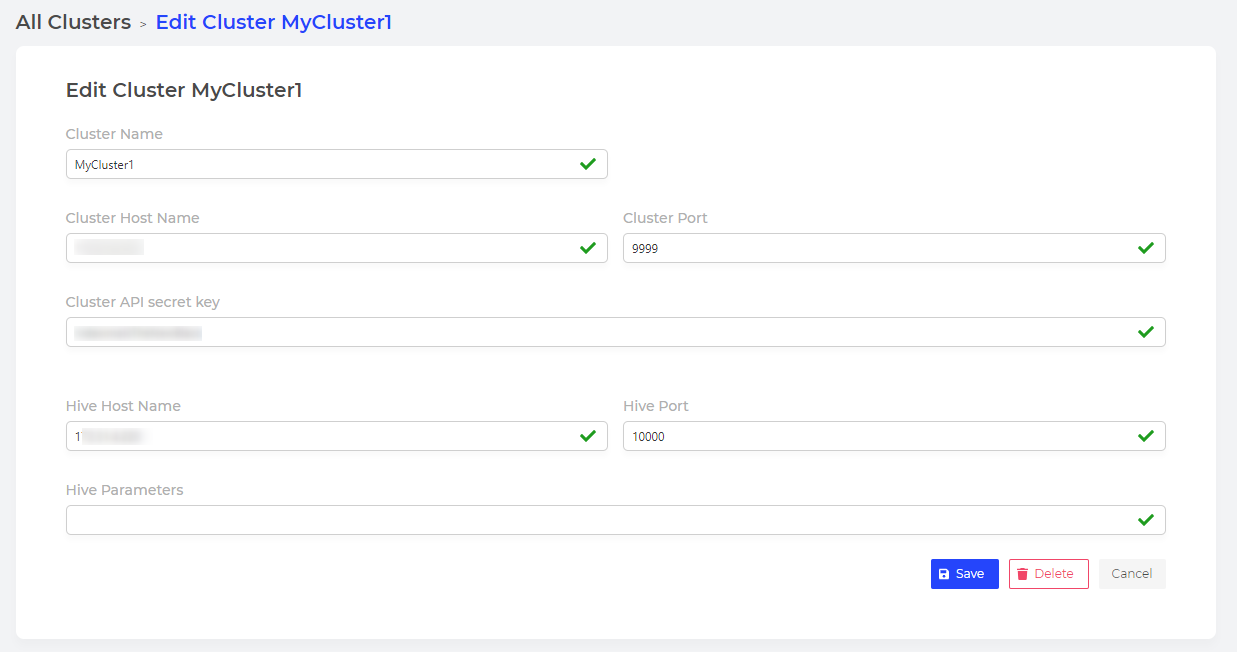
Edit cluster link connection string
Click on the Edit button so you can modify the connection string
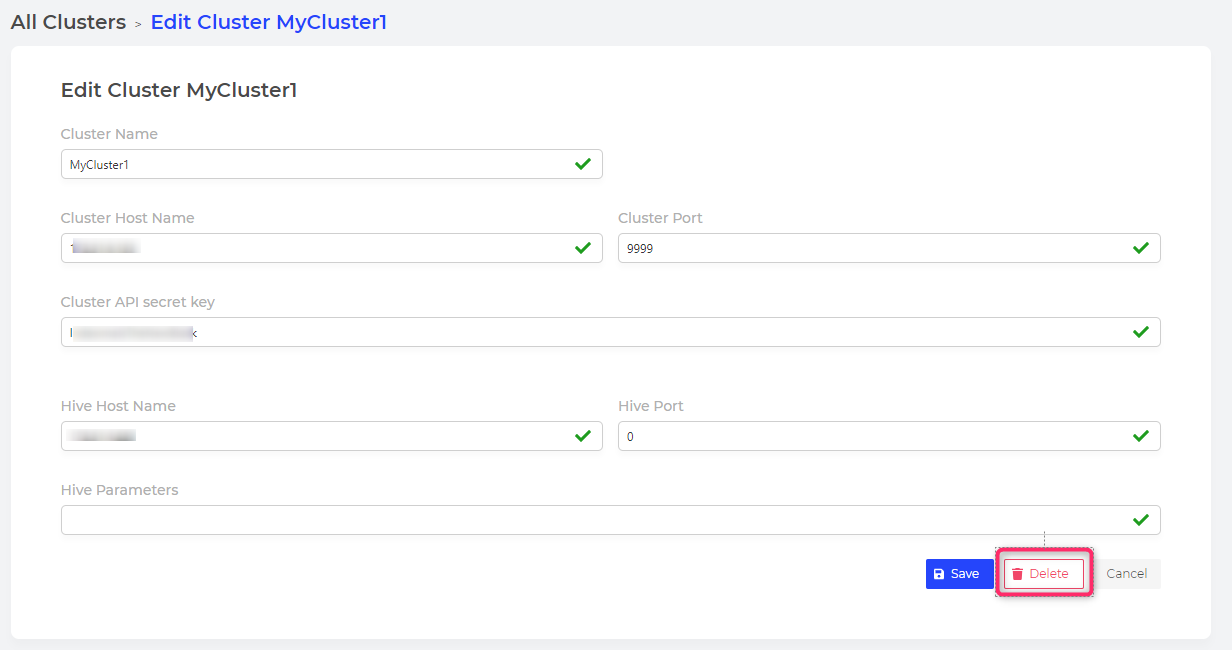
Detach a cluster
Click Edit then Delete to detach a cluster
Part2: Administrate connections within Clusters attachments
Register a connection to a cluster
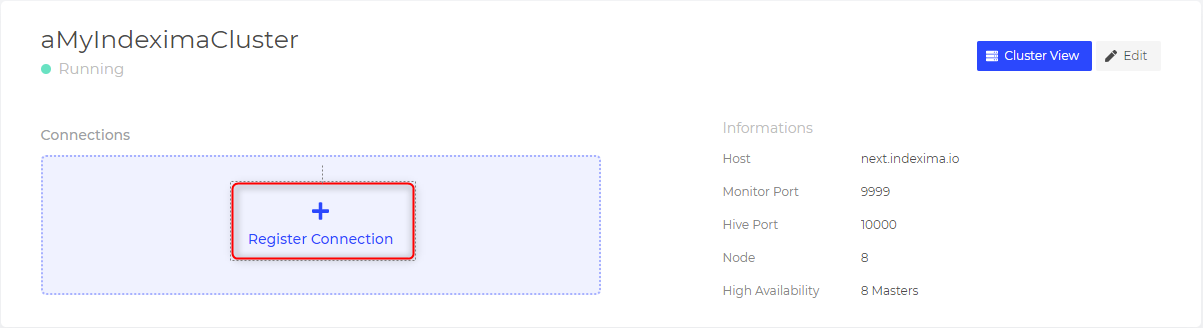
User/Pwd Authentication or LDAP Authentication
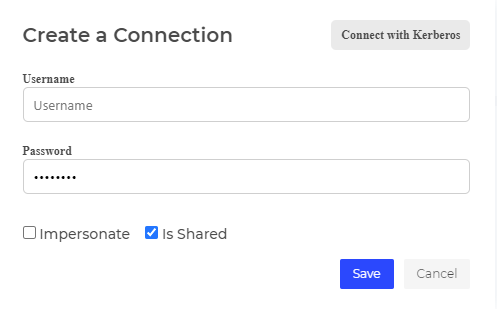
- User/Password
Fill in a valid User/password of a user who can connect to the cluster.
If you did not customize this in the Indexima installation, the user/password admin/admin is the default user.
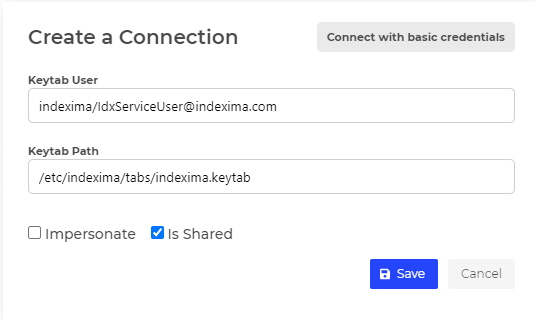
Kerberos Authentication
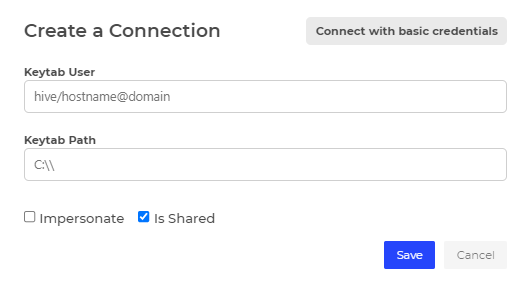
- Keytab user
Fill in with the value of the Principal used in the hive parameter.
- Keytab Path
Keytab path
Example
Common options
Impersonate
When the box is:
- ticked, User/PWD used to authenticate to the Indexima Interface (Visualdoop) will be used to connect & authenticate to Indexima cluster
- unticked, User/PWD defined in the connection will always be used to connect & authenticate to Indexima cluster
Note: In the case where the Developer Console UI has been configured to use a local LDAP server as the authentication method, and the Indexima cluster has been configured to have only one local service user named "indexima", with a password "secret", I login into the Developer console with my own user and password.
Is Shared
When the box is:
- ticked, the connection is shared with all other users.
- unticked, the connection is visible only to its creator.
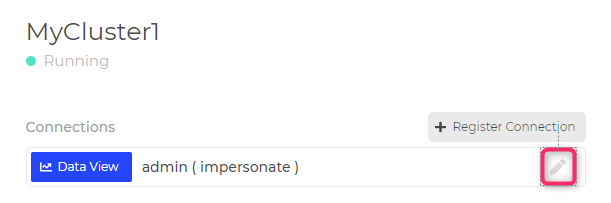
Edit a connection
Click on the pen to edit connection details
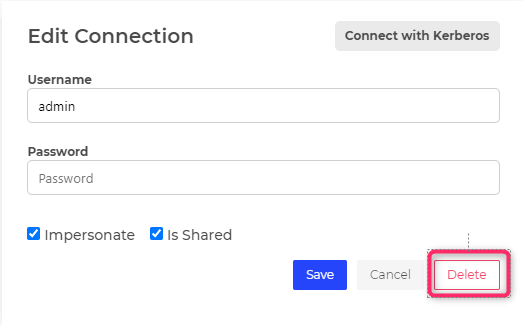
Delete a connection
Edit the connexion and click on Delete
Recommendations
INFO
In most cases, we recommend creating 1 cluster attachment & 1 connection using impersonate option (with the credentials of an admin user filled in the connection details)