Median with Tableau
Context
As for now, Indexima does not support the MEDIAN function.
However, there is a way to display a MEDIAN within Tableau using Indexima.
How to
Use the WINDOW_MEDIAN function and define the computation to the most detailed level.
How to in detail
Example context
Let's consider a Sales process by a salesman and we want to display the Median of the duration.
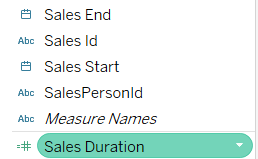
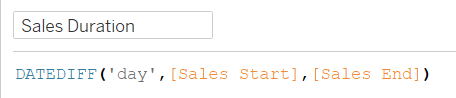
Sales duration is defined as the difference in days between the start date & the end date.
The most detailed level is the Sales Id.
Step1: Create the measure using the WINDOW_MEDIAN
The measure would be defined as WINDOW_MEDIAN(max([Sales Duration])).
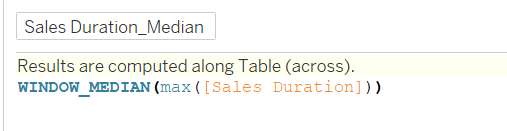
Step2: Use the measure and define the proper table computation level
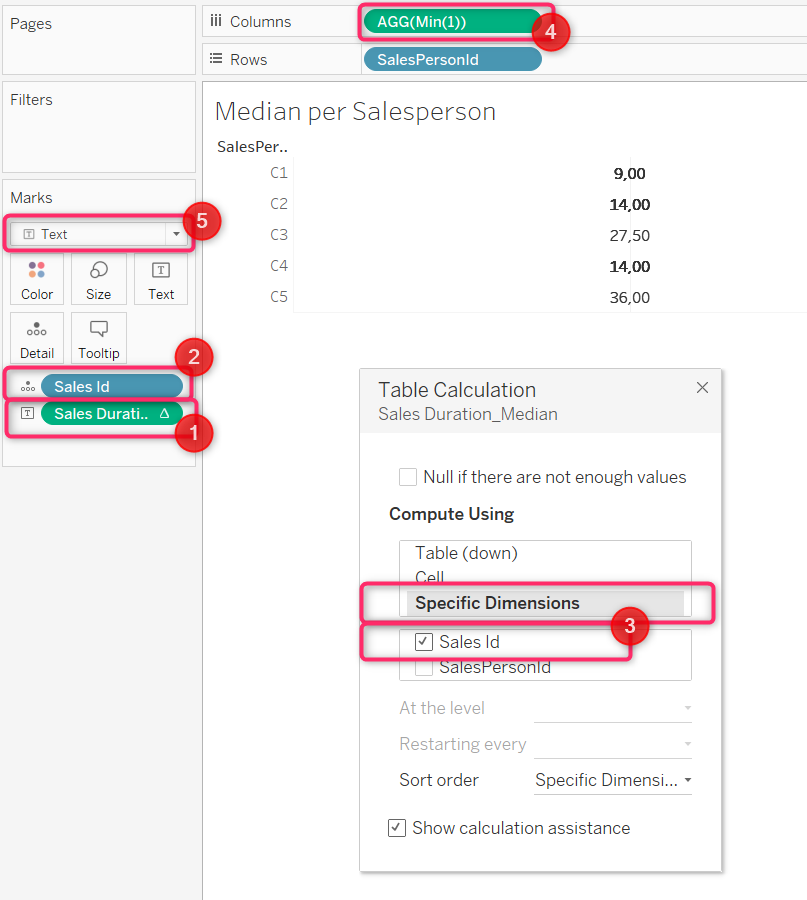
Whatever the axis, apply the following steps:
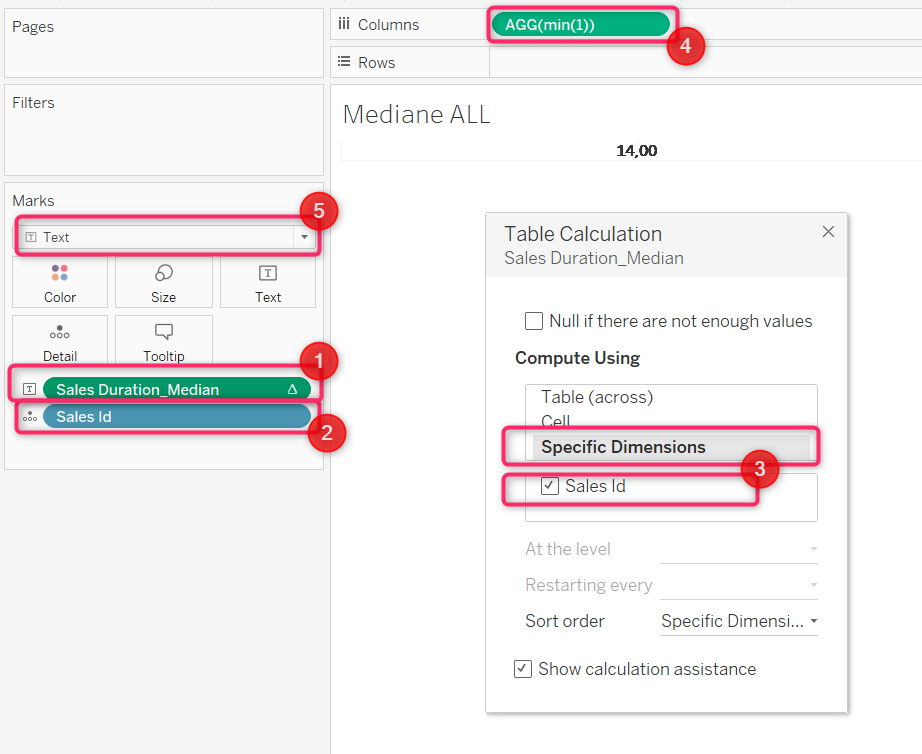
- Add the measure as TEXT
- Add the most detailed level as DETAIL (in this example, SalesId)
- In table computation of the Median, choose "Specific Dimensions" then tick the box with the most detailed level (in this example, SalesId)
- Write MIN(1) (as a measure) in the columns. After validating the creation, this will be transformed as a tile.
- Change the marks into TEXT
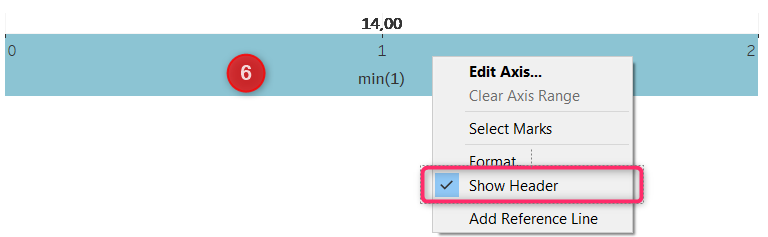
- (optional) Hide the header: Right-click on the axis, then untick the "Show header" option
Median (of SalesId) without any axis declination
Median (of SalesId) per Sales Person