
CHECK TABLES
Description
CHECK TABLES performs a consistency check of each table and index in the warehouse, to identify and report potential causes of failure.
Syntax
bash
CHECK TABLESOutput
| ColumnName | description |
|---|---|
| schema | schema name |
| table | table name |
| index | index name (if error concerns an index) |
| error | error description |
| threshold | threshold above which the error is reported |
| trigger | number of occurrences of the error in the check |
Example
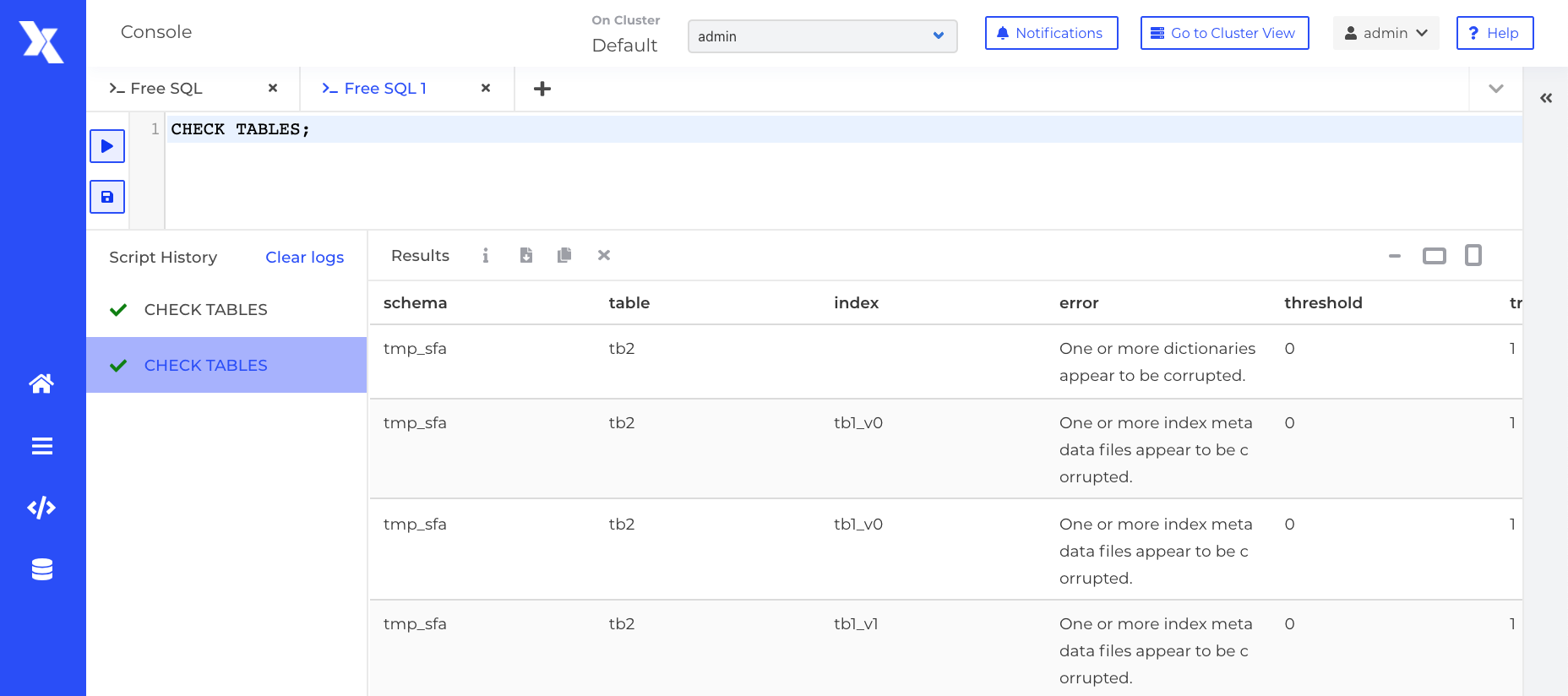
Listed Error types
This consistency check can raise the following errors:
- Partitions number is not the same as defined in the configuration: The structure has not the same partitions count as the configuration.
- One or more dictionaries appear to be corrupted: One or a few dictionaries seem corrupted (Loading has failed).
- There are some missing partitions for dictionaries. Check logs for 'Different dictionaries report different #partitions' to find what partitions are missing.
- We have found available dictionaries, but none for our partitions: We have found dictionaries on disk, but none to register with our partitions.
- One or more index metadata files appear to be corrupted: One or a few indexes seem corrupted (Loading has failed).
- The index is on error because fields are corrupted: Some fields seem corrupted.
- Unable to merge dictionaries: Problem during the merging of dictionaries.
- The view relies on a table that is in error: Problem during loading table for view
- Unknown: Default value if structure can't be loaded for an unexpected reason.